22 products
Skip to product grid
Shop MacBook Pro 2021 products
-

-
 Configurable
-
 Configurable
-

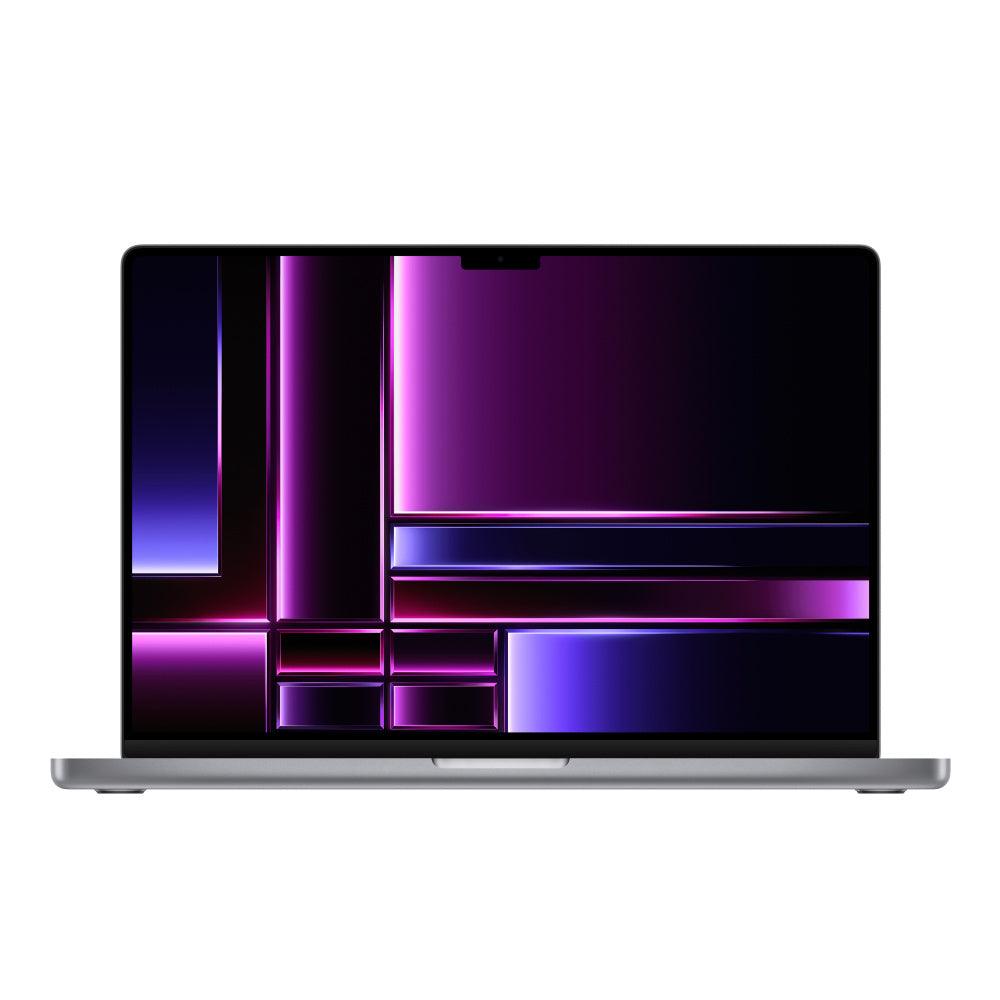
MacBook Pro (2021) · 16 inchM1 Max
32GB RAM1TB SSDFor repair or with issues. Check details.
$999.00$3,299.00 -
MacBook Pro (2021) · 16 inchM1 Max
32GB RAM1TB SSDImportant condition notes. Read details.
$1,149.00$3,299.00 -
MacBook Pro (2021) · 16 inchM1 Pro
32GB RAM1TB SSDImportant condition notes. Read details.
$1,049.00$2,699.00 Browse sold-out models on this page
-
 Sold out
-
 Sold out
-
 Sold out
-
 Sold out
-
 Sold out
-
 Sold out
-
 Sold outConfigurable
-
 Sold out
-
Sold outConfigurable
-
 Sold out
-
 Sold out
MacBook Pro (2021) · 14 inchM1 Pro
16GB RAM512GB SSDImportant condition notes. Read details.
$599.00$1,999.00 -
Sold out
MacBook Pro (2021) · 16 inchM1 Pro
32GB RAM1TB SSDImportant condition notes. Read details.
$1,049.00$2,699.00 -
Sold out
MacBook Pro (2021) · 16 inchM1 Pro
32GB RAM1TB SSDImportant condition notes. Read details.
$1,199.00$2,699.00 -
Sold out
MacBook Pro (2021) · 16 inchM1 Pro
32GB RAM1TB SSDImportant condition notes. Read details.
$1,199.00$2,699.00 -
 Sold out
MacBook Pro (2021) · 14 inchM1 Max
64GB RAM2TB SSDImportant condition notes. Read details.
$1,499.00$4,999.00 -
Sold out
MacBook Pro (2021) · 16 inchM1 Max
64GB RAM2TB SSDImportant condition notes. Read details.
$1,649.00$3,899.00
-


Plan your MacBook Pro around the work you do
- Editing and rendering: compare the exact chip tier, GPU and installed memory against your editing application and project format. A model year alone does not describe performance.
- Development and multitasking: allow memory for your IDE, browser, containers or virtual machines together. Check whether your tools require Intel or support Apple silicon.
- Travel or a desk setup: compare 14-inch and 16-inch models, then check the exact ports and external-display support before budgeting for docks or adapters.
Choosing a refurbished 2021 MacBook Pro
Compare 2021 MacBook Pro listings by screen size, M1 Pro or M1 Max chip, installed memory, SSD and condition. These 14-inch and 16-inch models are different from the 13-inch MacBook Pro with the base M1 chip introduced in 2020. A model-year label alone does not identify the configuration or its suitability for your work.
What is the difference between M1 Pro and M1 Max?
The chip tier and GPU configuration matter for graphics, media work and external displays. Compare the exact CPU/GPU configuration and installed memory instead of applying the family’s maximum specification to every listing. Browse M1 Pro configurations and M1 Max devices; the latter collection can also include Mac Studio, so confirm the product family.
Should I choose the 14-inch or 16-inch 2021 model?
Compare portability, working screen space, price and the specific configuration. Both sizes use a Liquid Retina XDR display; they should not be described using the specifications of the older 13-inch Retina model. Compare 14-inch MacBook Pro and 16-inch MacBook Pro listings, checking the model year because those size collections span generations.
How do I confirm ports, display support and model identity?
Match the chip and model identifier before choosing monitors or adapters. External-display support differs by chip. Use the Mac model lookup and Apple’s 2021 14-inch specifications to check the exact configuration rather than relying on appearance.
What should I check on a used 2021 MacBook Pro?
Read the individual listing’s cosmetic grade, battery details when provided, included accessories and functional notes. Some listings in this collection are marked for parts or repair or carry important condition notes. A repair listing may require work before use; do not assume every device is ready for everyday use or includes the same components. Confirm the macOS version and application requirements for your workflow before buying.
Can I choose memory and storage later?
Choose the installed configuration you need now and confirm any available listing options before checkout. Do not assume that a family’s maximum memory or storage is installed, or that these components can be upgraded after purchase.
Where is the best place to buy a refurbished 2021 MacBook Pro?
Compare the exact chip, screen size, memory, SSD, disclosed condition, total price and written purchase terms. Review current listings in this collection and compare all refurbished MacBook Pro models. Read the warranty terms and return and refund policy; availability and eligibility depend on the device and applicable terms.
Where is the best place to sell my 2021 MacBook Pro?
Confirm whether you have a 14-inch or 16-inch model, its chip, memory, storage and condition. Compare the final offer, inspection process, shipping requirements and payment terms. SellMac is one option for selling a MacBook Pro; check supported configurations before deciding.