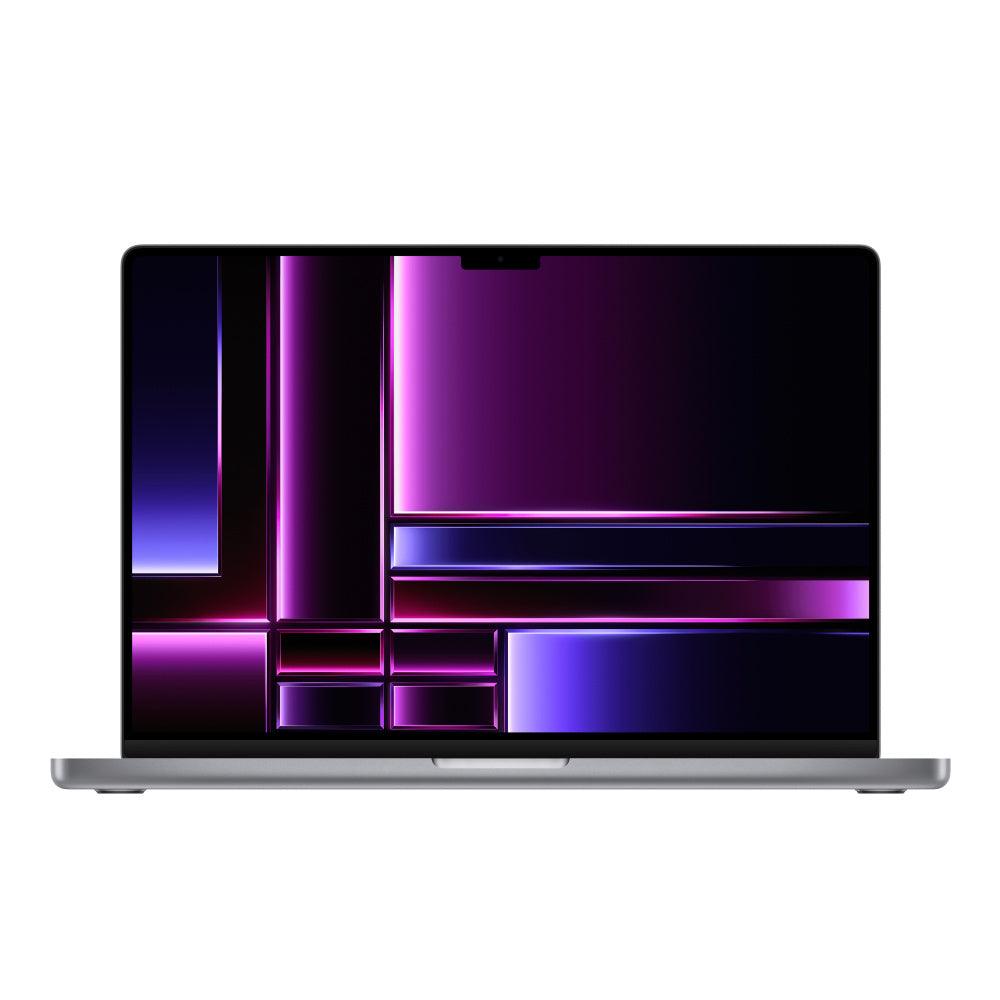
Shop 16-inch refurbished MacBook Pro laptops. Compare Apple silicon and Intel models by chip, RAM, storage, display and condition.
Browse available devices
97 products
Skip to product grid
Shop 16 inch MacBook Pro products
-

-

-

-

MacBook Pro (2019) 16-inch - 2.4GHz i9 - 5500M - Up to 64GB RAM 8TB SSD Space Gray (Configurable)
Choose memory and storageFrom $999.00 -

Apple MacBook Pro 2019 16-inch 2.3GHz i9 5500M Up to 8TB SSD 64GB RAM Silver (Configurable)
Choose memory and storageFrom $1,249.00 -

MacBook Pro (2019) 16-Inch - 2.3GHz Core i9 5300M Up to 8TB SSD 64GB RAM (Configurable)
Choose memory and storageFrom $699.00 -

-

-

-

-

MacBook Pro (2019) 16-Inch - 2.4GHz Core i9 - 5500M - 64GB - 2TB SSD - Space Grey - Configurable
2TB SSDChoose configurationFrom $1,499.00 -

-

MacBook Pro (2019) 16-Inch - 2.3GHz Core i9 - 5500M - 32GB - 2TB SSD - Space Grey
2TB SSD$1,234.00$6,299.00 -

-

MacBook Pro (2019) 16-inchIntel Core i9
16GB RAM512GB SSDFor repair or with issues. Check details.
$349.00$3,799.00 -

MacBook Pro (2019) 16-inchIntel Core i9
16GB RAM2TB SSDImportant condition notes. Read details.
$499.00$3,799.00 -

MacBook Pro (2019) 16-inchIntel Core i7
16GB RAM512GB SSDImportant condition notes. Read details.
$399.00$1,999.00 -

MacBook Pro (2021) 16-inchM1 Max
32GB RAM1TB SSDFor repair or with issues. Check details.
$999.00$3,299.00 -
MacBook Pro (2021) 16-inchM1 Max
32GB RAM1TB SSDImportant condition notes. Read details.
$1,149.00$3,299.00 -

MacBook Pro (2019) 16-inchIntel Core i9
16GB RAM512GB SSDImportant condition notes. Read details.
$449.00$3,799.00 -
MacBook Pro (2021) 16-inchM1 Pro
32GB RAM1TB SSDImportant condition notes. Read details.
$1,049.00$2,699.00 -

MacBook Pro (2019) 16-inchIntel Core i9
16GB RAM1TB SSDImportant condition notes. Read details.
$499.00$3,799.00 -

MacBook Pro (2019) 16-inchIntel Core i9
16GB RAM1TB SSDImportant condition notes. Read details.
$449.00$3,799.00 -

MacBook Pro (2019) 16-inchIntel Core i9
64GB RAM4TB SSDImportant condition notes. Read details.
$1,499.00$3,999.00 -

MacBook Pro (2019) 16-inchIntel Core i7
16GB RAM512GB SSDImportant condition notes. Read details.
$329.00$2,999.00 -

MacBook Pro (2019) 16-inchIntel Core i9
32GB RAM8TB SSDImportant condition notes. Read details.
$1,399.00$3,799.00 -

-
 Sold out
-
 Sold out
-
 Sold out


Plan your MacBook Pro around the work you do
- Editing and rendering: compare the exact chip tier, GPU and installed memory against your editing application and project format. A model year alone does not describe performance.
- Development and multitasking: allow memory for your IDE, browser, containers or virtual machines together. Check whether your tools require Intel or support Apple silicon.
- Travel or a desk setup: compare 14-inch and 16-inch models, then check the exact ports and external-display support before budgeting for docks or adapters.
↑ Back to products
Choosing a refurbished 16-inch MacBook Pro laptop
A used 16-inch MacBook Pro suits shoppers who want a large laptop display, more workspace and professional performance. Compare the 2019 Intel 16-inch MacBook Pro with later Apple silicon generations, which vary in battery efficiency, GPU capability, ports and external-display support.
16-inch MacBook Pro models compared
| Model or generation | Good fit for | Check before buying |
|---|---|---|
| 2019 Intel 16-inch | Legacy Intel applications and more affordable entry points | Verify supported macOS, battery condition and graphics configuration |
| 2021 M1 Pro or M1 Max 16-inch | Efficient professional laptop workflows | Check chip tier, memory and storage |
| Newer Apple silicon 16-inch | Creative and demanding current applications | Compare available generation, memory and GPU |
Buying tip: Choose the actual 16-inch configuration for your applications; model year alone does not tell you enough about performance.
Apple silicon versus Intel 16-inch MacBook Pro
Apple silicon models are often the better fit for newer macOS workflows, while an Intel MacBook Pro may remain useful for specific legacy applications. Check each listing for processor, SSD, memory, exact generation, condition and battery information rather than assuming every 16-inch laptop is configured alike.
Compare M1 Pro and M2-family MacBook Pro configurations, checking the screen size and exact chip on each listing.
What matters when choosing a larger laptop
Consider portability, your preferred screen size, the number of external displays required and the memory needed for editing, coding or everyday multitasking. The larger screen can be valuable for productivity, but a 14-inch MacBook Pro may travel more easily.
Condition, warranty and accessories
Review the listing for cosmetic details, the actual included charger, keyboard layout and battery notes. Techable includes 90-day SafeTech coverage, with optional eligible protection plans and 30-day returns under store terms.
Common questions about 16 inch MacBook Pro
Is the 16-inch MacBook Pro good for video editing?
It can be. Check the exact chip, GPU, memory and storage against your editing software and footage requirements.
Which is better, a 14-inch or 16-inch MacBook Pro?
Choose 16-inch for a larger display or 14-inch for a more compact laptop. Compare the actual chip and memory configuration separately.
Review the SafeTech warranty terms, return and refund policy, or trade in a device through Techable. Product condition, accessories, and eligibility depend on the individual listing.
↑ Return to products