Compare MacBook Air and MacBook Pro by portability, workload and configuration
428 products
Skip to product grid
Shop All MacBooks products
-

-

-

-

-

-

-
 Configurable
-
 Configurable
-
 Configurable
Apple MacBook Pro (15-inch Late 2013) 2.6 GHz I7-4960HQ 8GB 256GB SSD (Silver)
Choose memory and storageFrom $349.00 -
 Configurable
-

-

-

-

MacBook Pro (2011) · 15 inchIntel Core i7
4GB RAM1TB HDDImportant condition notes. Read details.
$399.00 -

MacBook Pro (2019) · 16 inchIntel Core i9
16GB RAM2TB SSDImportant condition notes. Read details.
$499.00$3,799.00 -

MacBook Pro (2017) · 15 inchIntel Core i7
16GB RAM512GB SSDImportant condition notes. Read details.
$229.00$2,999.00 -

MacBook Pro (2019) · 16 inchIntel Core i7
16GB RAM512GB SSDImportant condition notes. Read details.
$399.00$1,999.00 -

MacBook Pro (2015) · 15 inchIntel Core i7
16GB RAM512GB SSDImportant condition notes. Read details.
$249.00$2,499.00 -
MacBook Pro (2024) · 14 inchM4
16GB RAM512GB SSDImportant condition notes. Read details.
$1,499.00$1,799.00 -

MacBook Pro (2017) · 13 inchIntel Core i5
16GB RAM512GB SSDImportant condition notes. Read details.
$239.00$2,999.00 -

MacBook Pro (2021) · 16 inchM1 Max
32GB RAM1TB SSDFor repair or with issues. Check details.
$999.00$3,299.00 -
MacBook Pro (2021) · 16 inchM1 Max
32GB RAM1TB SSDImportant condition notes. Read details.
$1,149.00$3,299.00 -

MacBook Pro (2023) · 14 inchM2 Max
32GB RAM1TB SSDImportant condition notes. Read details.
$1,499.00$3,099.00 -

MacBook Air (2018) · 13 inchIntel Core i5
16GB RAM512GB SSDImportant condition notes. Read details.
$299.00$1,799.00 -

MacBook Pro (2016) · 13 inchIntel Core i5
8GB RAM512GB SSDImportant condition notes. Read details.
$349.00$1,799.00 -

MacBook Pro (2019) · 16 inchIntel Core i9
16GB RAM512GB SSDImportant condition notes. Read details.
$449.00$3,799.00 -
MacBook Pro (2021) · 16 inchM1 Pro
32GB RAM1TB SSDImportant condition notes. Read details.
$1,049.00$2,699.00 -

MacBook Pro (2020) · 13 inchIntel Core i7
16GB RAMImportant condition notes. Read details.
$399.00$2,599.00 -

MacBook Pro (2019) · 16 inchIntel Core i9
16GB RAM1TB SSDImportant condition notes. Read details.
$499.00$3,799.00 -

MacBook Air (2018) · 13 inchIntel Core i5
8GB RAM256GB SSDImportant condition notes. Read details.
$299.00$1,399.00


Use your workload to choose between Air and Pro
- Everyday portability: compare MacBook Air configurations for documents, browsing, study and video calls. Check memory for the apps you run together.
- Professional workloads: compare MacBook Pro chip tiers for your creative or development tools. Choose a display size that works for travel and your desk.
- Before you decide: compare the shortlisted Air and Pro with the same memory, storage and condition expectations, and check total cost including accessories.
↑ Back to products
Compare refurbished MacBook Air and MacBook Pro
Start with how you use a laptop. MacBook Air emphasizes portability for everyday work; MacBook Pro offers different display, cooling and performance tiers for demanding applications. Use the links below to shop the family that fits, then compare individual configurations.
MacBook Air or Pro: compare by how you work
| Model or generation | Good fit for | Check before buying |
|---|---|---|
| MacBook Air | Daily productivity and portability | Check the configuration, screen size and app requirements |
| MacBook Pro | Sustained creative or technical workloads | Compare chip tiers, memory, ports and display requirements |
| 15-inch MacBook Air | Everyday work with a larger display | Compare bag space, weight, memory and SSD |
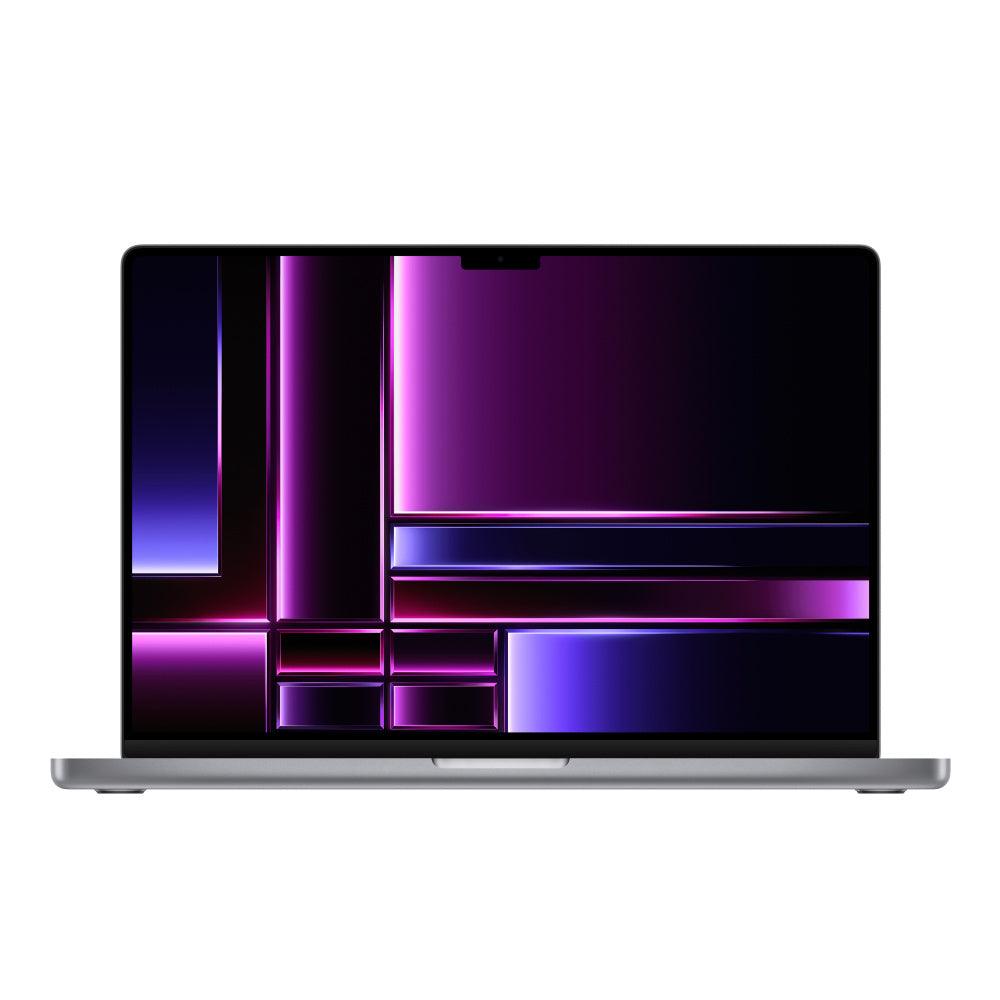
| 16-inch MacBook Pro | Professional work with a larger display | Compare processor and graphics needs against total cost |
Buying tip: Start with the applications you use, then compare the exact specifications and condition of each available device.
MacBook Air versus MacBook Pro
MacBook Air prioritizes portability for everyday work. MacBook Pro offers configurations designed for heavier professional workloads. Compare the exact chip and RAM rather than the family name alone.
Apple silicon versus Intel
Apple silicon Macs are generally the better starting point for modern macOS use. Some Intel machines remain useful for legacy applications, but verify software compatibility and macOS support.
Choose the family before comparing individual devices
A MacBook Air with adequate memory and storage is a sensible starting point for browsing, documents and video calls.
Common questions about All MacBooks
Do I need a MacBook Pro for documents and video calls?
A MacBook Air can suit those tasks when its configuration and supported software meet your needs. A Pro model becomes more relevant when sustained workloads, additional ports or display requirements justify the cost.
Which MacBook is best for everyday work?
For documents, browsing and video calls, start by comparing MacBook Air configurations. Consider a MacBook Pro for heavier sustained workloads or specific display and port requirements.
Review the SafeTech warranty terms, return and refund policy, or trade in a device through Techable. Product condition, accessories, and eligibility depend on the individual listing.
↑ Return to products