Shop pre-owned Apple Watch models by Series, case size, GPS or cellular support, condition, and compatibility with your iPhone.
Browse available devices
40 products
Skip to product grid
Shop Apple Watch & Accessories products


Find the right Apple Watch and the right fit
- Compatibility first: check the Watch generation and software requirements against your iPhone. For cellular models, verify carrier support and any required plan.
- Watch or accessory: compare complete Watch listings here, and use the separate bands and protection categories for replacement accessories. Read the contents of each listing.
- Fit and condition: confirm case size, included band size, charging accessories and any battery or screen notes. Read additional disclosures on products marked Read.
↑ Back to products
Compare refurbished Apple Watch models
Refurbished and used Apple Watch configurations vary by Series or generation, case size, connectivity, band type, and cosmetic condition. Check the exact model and supported features before buying. Current stock includes different price tiers, so compare the specific listing rather than only the headline series number.
Apple Watch families compared
| Model or generation | Good fit for | Check before buying |
|---|---|---|
| Apple Watch SE | Core activity, notifications, and everyday smartwatch use | Compare SE generation, iPhone compatibility, and accessories |
| Apple Watch Series | General fitness and feature-rich daily wear | Check Series-specific sensors, screen, case size, and compatibility |
| Apple Watch Ultra | Rugged use cases and buyers seeking Ultra features | Compare generation, battery details, case size, and weight |
| GPS versus GPS + Cellular | Choosing the connectivity you actually need | Confirm mobile carrier support and any required plan |
Buying tip: Prioritize iPhone compatibility, watchOS support, condition, and the features you use. Cellular connectivity is only worth paying for when you need it.
Compare Apple Watch Series and connectivity
Apple Watch models vary in their screens, sensors, performance, and supported watchOS features. Some versions support GPS only while others include cellular capability, subject to carrier and activation requirements. Make sure a device supports the functions you need and works with your current iPhone.
Choose a case size and band
The best fit depends on wrist size, preferred display dimensions, and available bands. Case sizes and strap compatibility have changed across model families. Confirm the case size and what band, charger, or other accessory is included rather than assuming every listing has the same package.
Inspect the listing and compatibility
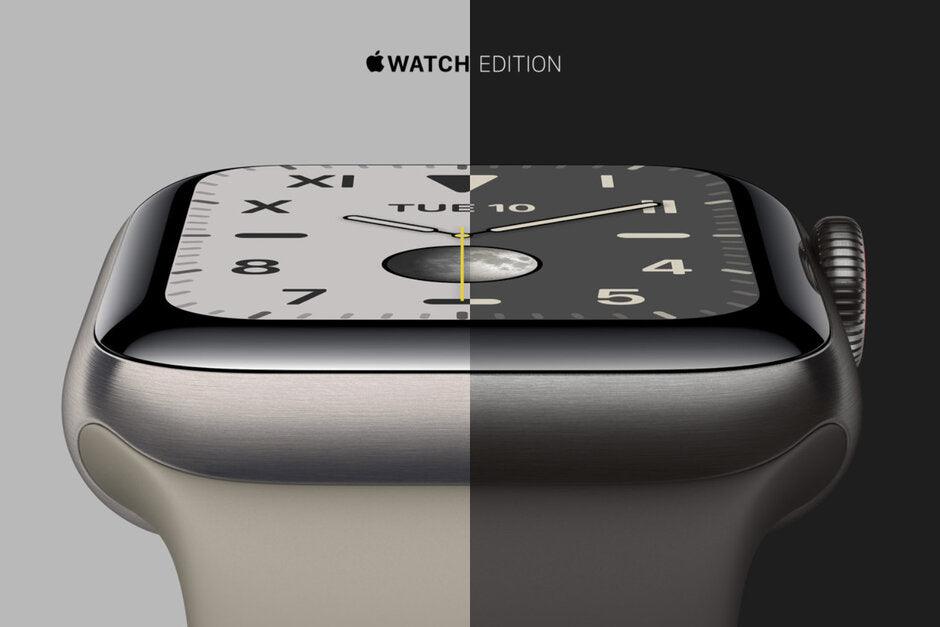
Check battery details, screen and case condition, and the band or charging accessories included. Read additional notes on listings marked Read. For Hermès and custom-finish watches, confirm the exact case and supplied band. Verify iPhone and software compatibility before ordering.
Common questions about Apple Watch & Accessories
Can I use any Apple Watch with any iPhone?
No. watchOS and iPhone compatibility requirements vary. Verify the supported iPhone and operating system for the specific Watch generation.
Does a refurbished Apple Watch include a new band?
Do not assume so. The band and charging accessories included depend on the exact product listing.
Does GPS + Cellular mean an Apple Watch includes an active plan?
No. Cellular capability and an active service plan are different. Check the exact regional Watch model, supported carrier and plan eligibility before relying on service away from your iPhone. Review Apple’s cellular setup requirements and Apple Watch and iPhone compatibility for the model and software you will use.
Where is the best place to buy a refurbished Apple Watch?
Compare the exact Series or SE/Ultra generation, case size, GPS or cellular configuration, battery details when listed, condition and included band and charger. Verify compatibility with your iPhone and read the written purchase terms. Compare Techable’s current Apple Watch listings; available configurations and included accessories vary.
Where is the best place to sell my Apple Watch?
Identify the generation, case size and material, connectivity and condition before comparing offers. Review supported models, inspection criteria, shipping requirements and payment terms. Check Apple Watch selling options on SellMac and follow the current unpairing and account-removal instructions for your device; this collection does not establish a quote.
Review the SafeTech warranty terms, return and refund policy, or trade in a device through Techable. Product condition, accessories, and eligibility depend on the individual listing.
↑ Return to products