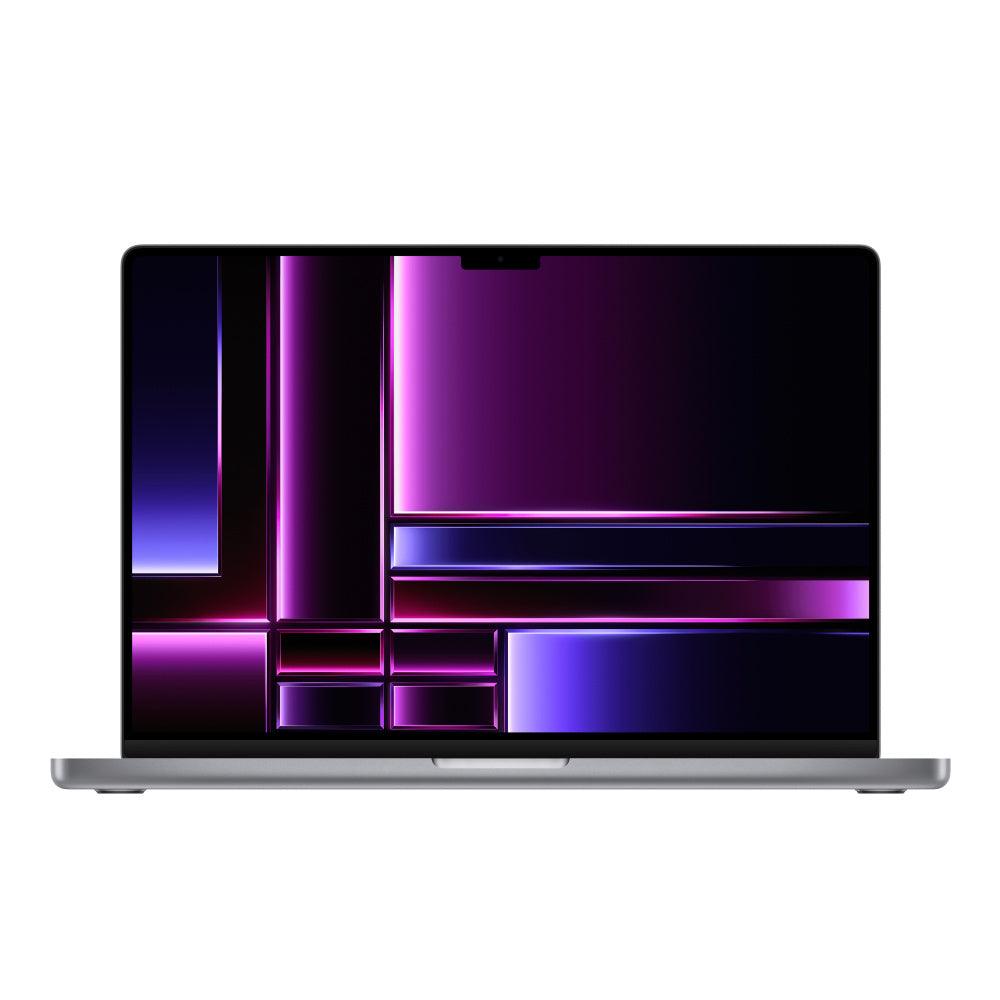
Compare refurbished MacBook Pro laptops by 14-inch, 16-inch, or older sizes, Apple silicon or Intel chip, RAM, storage, and condition.
Browse available devices
195 products
Skip to product grid
Shop MacBook Pro products
-

-

-

-
-

-

-

MacBook Pro (Mid 2015) 15-inch - 2.8GHz Core i7 (IG) - 16GB RAM 2TB SSD - New Battery
16GB RAM2TB SSDFrom $599.00 -

-

Apple MacBook Pro (15-inch Late 2013) 2.6 GHz I7-4960HQ 8GB 256GB SSD (Silver)
256GB SSDChoose memoryFrom $349.00 -

-

-

-

-

MacBook Pro (2011) 15-inch Pre-RetinaIntel Core i7
4GB RAM1TB HDDImportant condition notes. Read details.
$399.00 -

MacBook Pro (2019) 16-inchIntel Core i9
16GB RAM512GB SSDFor repair or with issues. Check details.
$349.00$3,799.00 -

MacBook Pro (2019) 16-inchIntel Core i9
16GB RAM2TB SSDImportant condition notes. Read details.
$499.00$3,799.00 -

MacBook Pro (2019) 16-inchIntel Core i7
16GB RAM512GB SSDImportant condition notes. Read details.
$399.00$1,999.00 -

-
MacBook Pro (2024) 14-inchM4
16GB RAM512GB SSDImportant condition notes. Read details.
$1,499.00$1,799.00 -

MacBook Pro (2017) 13-inchIntel Core i5
16GB RAM512GB SSDImportant condition notes. Read details.
$239.00$2,999.00 -

MacBook Pro (2018) 13-inchIntel Core i7
16GB RAM512GB SSDImportant condition notes. Read details.
$229.00$2,999.00 -

MacBook Pro (2021) 14-inchM1 Pro
16GB RAM512GB SSDImportant condition notes. Read details.
$599.00$1,999.00 -

MacBook Pro (2021) 16-inchM1 Max
32GB RAM1TB SSDFor repair or with issues. Check details.
$999.00$3,299.00 -

MacBook Pro (2021) 16-inchM1 Max
32GB RAM1TB SSDImportant condition notes. Read details.
$1,149.00$3,299.00 -

MacBook Pro (2019) 13-inchIntel Core i5
8GB RAM256GB SSDImportant condition notes. Read details.
$199.00$1,299.00 -

MacBook Pro (2023) 14-inchM2 Max
32GB RAM1TB SSDImportant condition notes. Read details.
$1,499.00$3,099.00 -

MacBook Pro (2016) 13-inchIntel Core i5
8GB RAM512GB SSDImportant condition notes. Read details.
$349.00$1,799.00 -

MacBook Pro (2019) 16-inchIntel Core i9
16GB RAM512GB SSDImportant condition notes. Read details.
$449.00$3,799.00 -
MacBook Pro (2021) 16-inchM1 Pro
32GB RAM1TB SSDImportant condition notes. Read details.
$1,049.00$2,699.00 -

MacBook Pro (2020) 13-inchIntel Core i7
16GB RAMImportant condition notes. Read details.
$399.00$2,599.00


Plan your MacBook Pro around the work you do
- Editing and rendering: compare the exact chip tier, GPU and installed memory against your editing application and project format. A model year alone does not describe performance.
- Development and multitasking: allow memory for your IDE, browser, containers or virtual machines together. Check whether your tools require Intel or support Apple silicon.
- Travel or a desk setup: compare 14-inch and 16-inch models, then check the exact ports and external-display support before budgeting for docks or adapters.
↑ Back to products
How to choose a refurbished MacBook Pro
Browse used and refurbished MacBook Pro computers across Intel and Apple silicon generations. Techable offers individually specified configurations, so compare model year, processor, memory, SSD capacity, screen size, and condition before choosing. Inventory changes as devices sell and new units arrive.
MacBook Pro generations worth comparing
| Model or generation | Good fit for | Check before buying |
|---|---|---|
| 2019–2020 Intel | Legacy Intel workflows and lower initial cost | Check macOS/app support, battery information, thermal needs, and ports |
| 2021 14- or 16-inch M1 Pro / Max | Excellent Apple silicon options for creative and development work | Review memory, storage, display size, battery and exact M1 tier |
| 2023 M2 / M3-generation Pro | More recent performance tiers and configurations | Distinguish base chips from Pro/Max; compare RAM, storage, and ports |
| 2024 M4-generation Pro | Newer processor families for professional workloads | Check the exact CPU/GPU tier and whether higher specifications are necessary |
| 2025 14-inch M5 | Compare newer 14-inch configurations alongside earlier Pro and Max models | Match installed memory and storage to your workload; check display option, condition and included accessories |
| 2026 Pro / Max configurations | Compare newer Pro and Max listings for demanding workloads | Check the exact chip, screen size, memory, storage and condition rather than choosing by year alone |
Buying tip: A 14-inch or 16-inch Apple silicon Pro model is a strong place to start for demanding modern work. An Intel MacBook Pro can still suit specific legacy needs at the right price.
Compare MacBook Pro generations and configurations
Apple silicon MacBook Pro models combine strong performance and efficiency, while some older Intel models can offer a lower-cost option for specific software requirements. Screen size, chip generation, GPU capability, ports, and supported external displays vary by model. Check the exact specifications rather than assuming all Macs from a model year are identical.
14-inch, 16-inch, and Intel MacBook Pro options
A 14-inch MacBook Pro balances portability with a larger working display than many older 13-inch models. The 16-inch family offers more display space for editing, design, development, and multitasking. Review installed RAM, battery information when listed, storage, connectivity, and compatibility with your applications. Unified memory in Apple silicon systems is not normally upgradeable after purchase.
Refurbished condition, warranty, and value
Used laptops can differ substantially in cosmetic wear, battery condition, accessories, and configuration. Confirm the actual listing details before buying. A higher-end older Mac is not automatically better for every buyer than a newer, lower-priced configuration.
Common questions about MacBook Pro
Is an older Intel MacBook Pro still worth buying?
It may be appropriate when the price, ports, or software compatibility matter more than having the newest chip. Check macOS support and app requirements for the specific model before making a decision.
How much memory and storage should I choose?
Everyday work may require less than professional video, virtual machines, or large media projects. Compare your existing workload against each listed configuration; many Apple silicon models cannot have memory or internal storage upgraded later.
Where is the best place to buy a MacBook Pro?
Compare current Techable listings by year, chip, display size, memory, storage, condition, and included details. Compare current MacBook Pro listings; availability changes.
Where is the best place to sell a MacBook Pro?
Confirm the exact model, configuration, and condition, then review the current quote and selling requirements. Get a MacBook Pro quote from SellMac.
Review the SafeTech warranty terms, return and refund policy, or trade in a device through Techable. Product condition, accessories, and eligibility depend on the individual listing.
↑ Return to products